 Homatic.ai
Guest guidebook
The guest guidebook: what it does and how to set it up
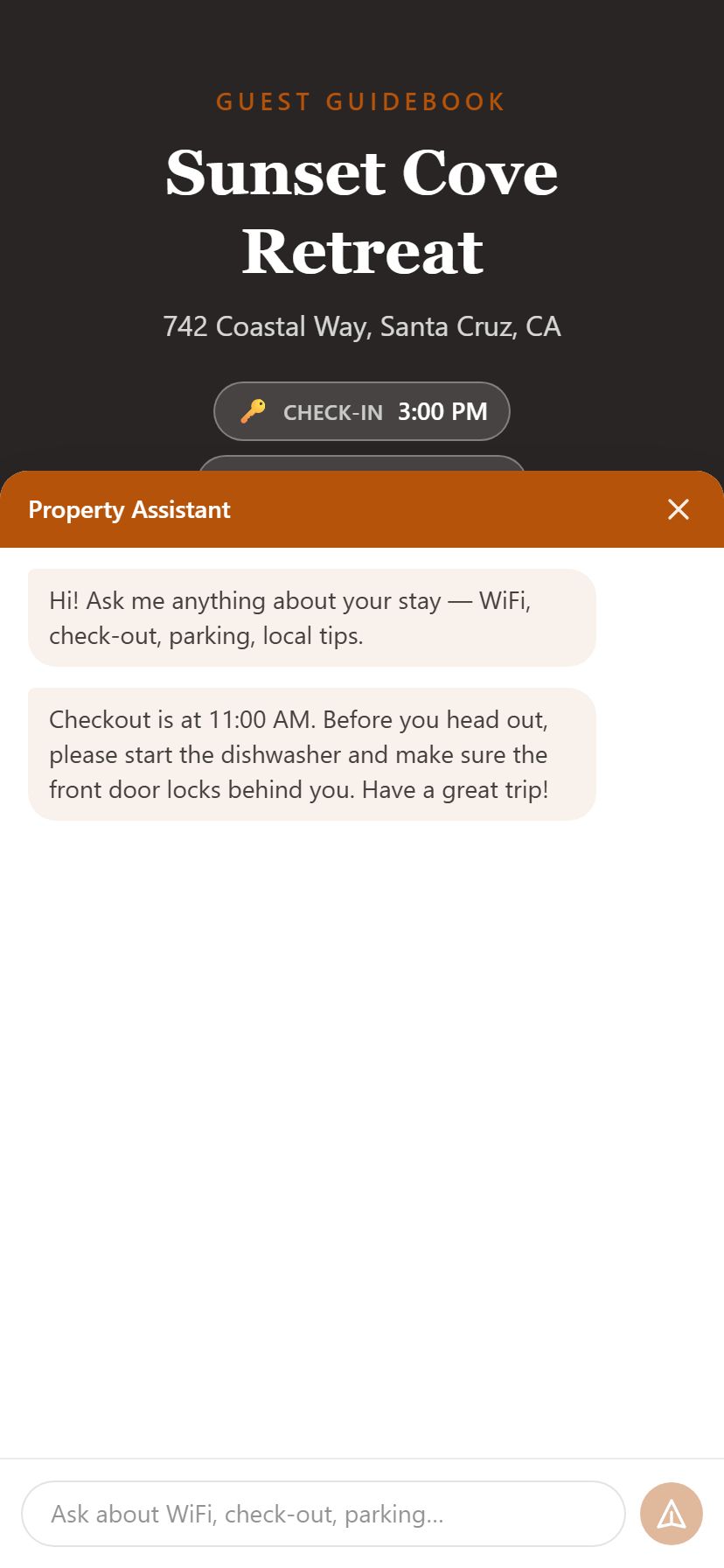
A guidebook is one link (or a QR code on the fridge) that answers the questions guests text you about: the Wi-Fi password, how to check in, where to park, when to check out. In Homatic it is an optional add-on that guests open on their phone with no app, in their own language, with an assistant that answers from what you wrote.
Start free — no credit card See the sample guidebook in the demo
What guests get

- Everything in one place. Wi-Fi, check-in, check-out, house rules, parking, trash and recycling, emergency contacts, local recommendations on a map, and any sections of your own.
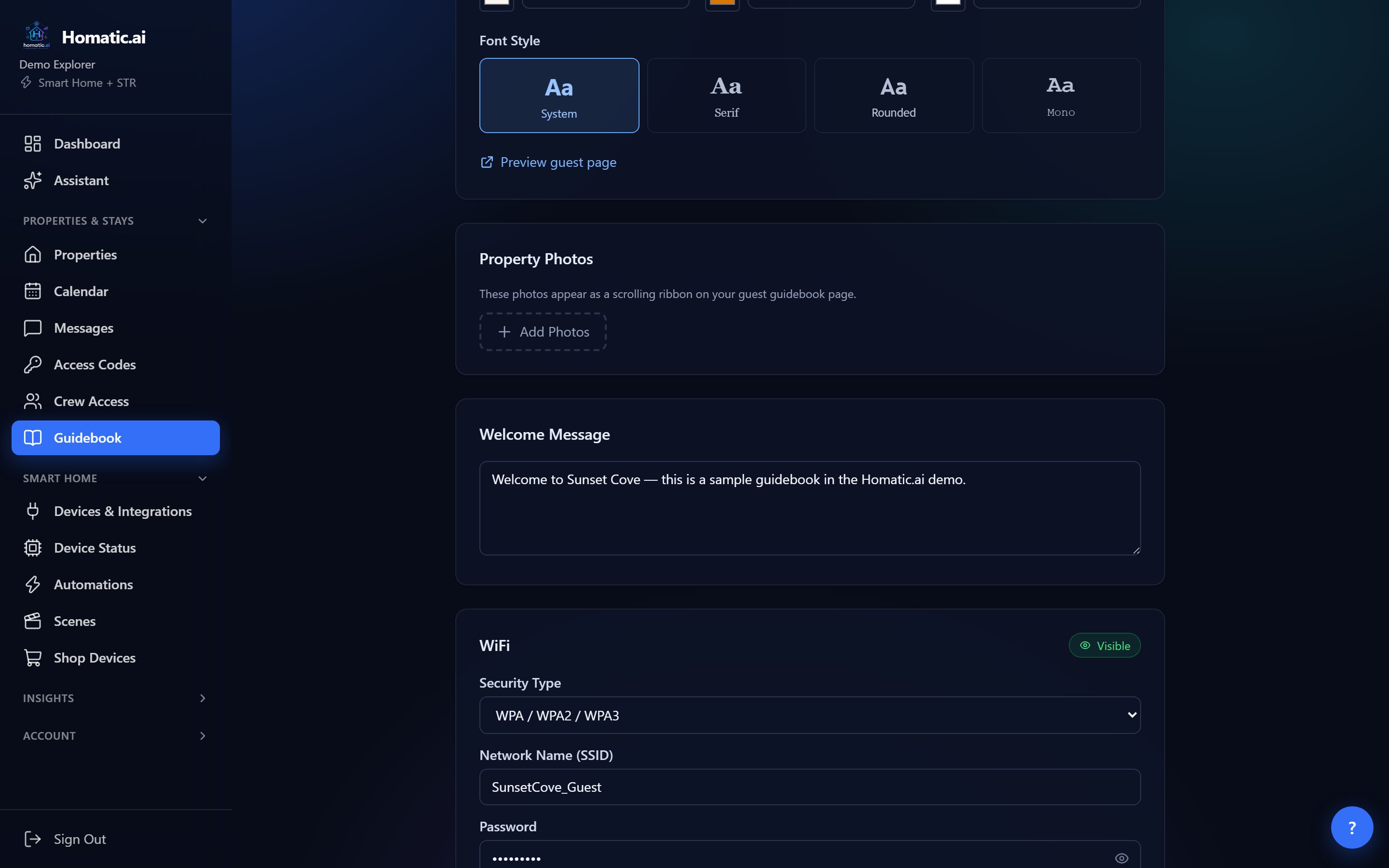
- Wi-Fi without typing. The password stays hidden until the guest taps Reveal, can be copied with a tap, and a “Scan to connect” QR code joins the network.
- Their language. Guests can switch between English, Español, Français, Deutsch, Italiano, Português, Nederlands, 中文 and 日本語. Network names, passwords, phone numbers and links are never translated.
- Works offline. “Add to phone” puts it on the home screen, and the last version opens without signal.
- An assistant that knows the house. “Ask a question” opens a chat that answers from your guidebook only. If the answer is not in it, the assistant says so and suggests contacting you, rather than guessing.
Set it up in five steps
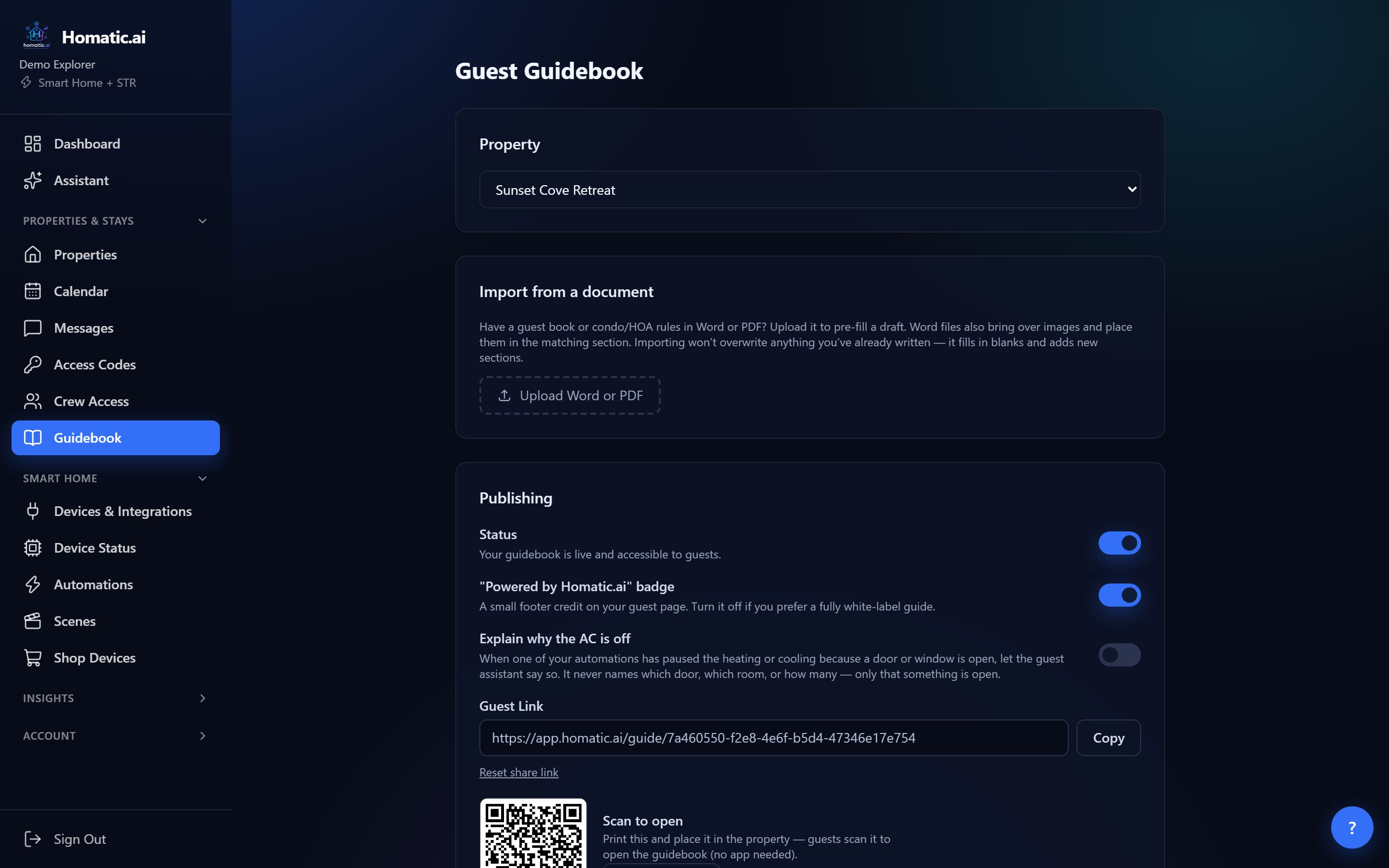
- 1Open Guidebook and pick the propertyIn the sidebar under Properties & Stays, choose Guidebook, then select the property. Every change saves on its own a moment after you stop typing.
- 2Start from what you already haveHave a house manual in Word or PDF? Upload Word or PDF fills in the blank fields and adds new sections. It never overwrites anything you have written.
- 3Fill in the sections guests ask aboutWelcome message, Wi-Fi (security type, network name, password), check-in and check-out instructions, house rules, parking, trash, emergency contacts and local recommendations. Each section has a Visible / Hidden switch, and a hidden section is removed from the guest page entirely.
- 4Make it look like yoursUnder Appearance & Branding, pick a design template, a hero image, colors and a font, and add property photos. Preview guest page shows the result.
- 5Publish and shareTurn Status on in Publishing. Copy the guest link into your check-in message, or Download QR and print it for the property.
Build your guidebook → Upload the house manual you already have and publish the same afternoon.
Publishing options worth knowing
- Guest languages. When you publish, translations are prepared in the background. The card shows how many are ready and has a Try the missing languages again link. A guest who picks a language that is still preparing simply waits a few seconds.
- Explain why the AC is off. Optional, and off until you turn it on. If one of your automations has paused the heating or cooling because a door or window is open, the guest assistant can say so. It never says which door, which room, or how many.
- “Powered by Homatic.ai” badge. A small footer credit you can turn off on the Pro plan and above.
- Reset share link. Creates a new link and retires the old one, so old links and printed QR codes stop working. Use it if a link has been shared further than you intended.
See whether guests use it
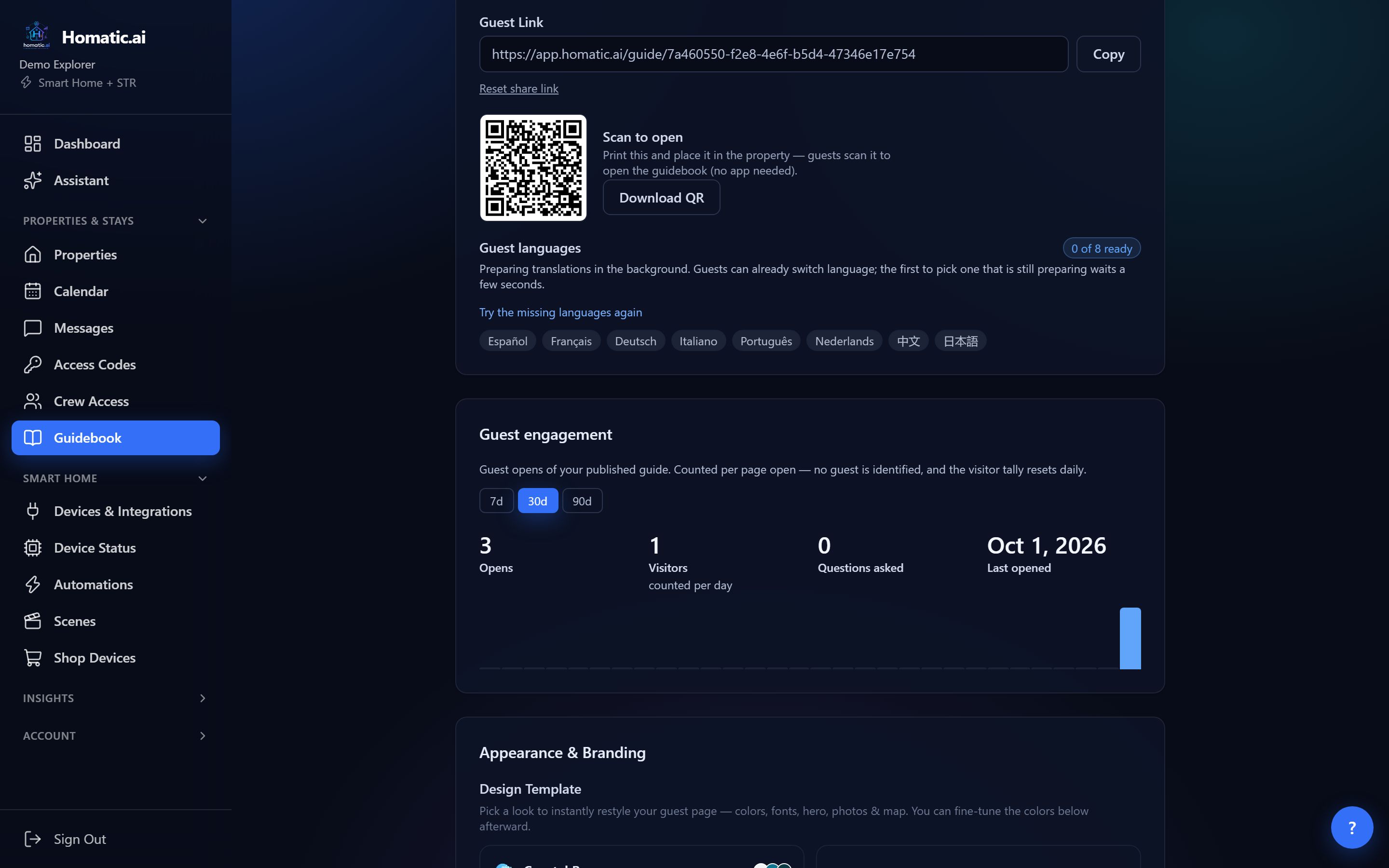
The Guest engagement card on the editor shows how many times the guidebook was opened, how many people opened it (counted per day), how many questions were asked, which languages it was read in, and when it was last opened. No guest is identified: the visitor count resets every day.
Privacy
The link is the key. Anyone holding it can read what you have published, including the Wi-Fi password, so treat it like the door code and reset it if it travels too far. Hidden sections are removed on our server, so they cannot be read from the page or drawn out by asking the assistant. Guidebook pages tell search engines not to index them.
Which plans include it
The guidebook is included on Pro and Enterprise, and is a $7/month add-on on any other paid plan: Billing → Add-ons → Guest Guidebook. Translations and the guest assistant need a plan that includes AI, which every paid plan does.
Common questions
Do guests need an app?
No. The guidebook opens in the phone browser from a link or QR code, and can be added to the home screen so it works without signal.
Can I reuse the house manual I already have?
Yes. Upload Word or PDF fills in blank fields and adds new sections; it never overwrites what you have written.
How much does it cost?
It is included on Pro and Enterprise, and is a $7/month add-on on any other paid plan.
See Homatic on your own properties
Connect a property and the dashboard fills in from your real devices — your locks, your thermostat, your calendar. Free for 30 days on Starter, no card required.