 Homatic.ai
Operations at scale
How to automate operations across 20+ vacation rentals
Between three properties and thirty, turnover work changes character. It stops being a task you complete and becomes a queue you fall behind on — and the first thing you lose is the ability to notice what did not get done.
At three properties a forgotten door code is caught by you. At thirty it is caught by the guest. This page is about what actually changes at that scale, where the hours go, and which parts of the work a system can take.
Start free — no credit card Where the hours go
Where the hours go
This is arithmetic from stated assumptions. It is not a measurement, not a case study, and not a savings claim — substitute your own numbers.
20 properties × 8 turnovers per month = 160 turnovers.
If access codes, thermostat adjustments and a device check take 10 minutes of manual work per turnover:
160 × 10 minutes ≈ 27 staff hours per month
Ten minutes is a guess about your operation, and the honest version of this calculation is that you should time it once. The number that matters is not the total but its shape: it grows with turnovers, not with properties, so it rises every time occupancy improves.
Which of those minutes are automatable
| Task | Automatable? | Notes |
|---|---|---|
| Cut and send the guest code | Yes | Per stay, from the reservation, confirmed on the lock before the guest is told |
| Remove the old code | Yes | With the removal verified — the failure case is the one that matters |
| Set the thermostat for arrival and back after checkout | Yes | Booking-driven, so it moves when the stay does |
| Check the property is secure and nothing is wrong | Mostly | Alerts replace the check; a human still decides what to do about one |
| Cleaner access | Yes, with a constraint | Sized to the turnover gap, on locks that enforce the end of the window themselves |
| Deciding what a jammed lock means today | No | That is judgement, and the point of the alert is to get it in front of you |
| Anything involving a guest conversation | No | Nor should it be |
The honest summary: the repetitive, timed, per-stay work is automatable, and the judgement is not. What automation buys is that the judgement calls arrive as messages instead of as things you find out about.
Monitor your properties → Connect one building first. Three rules against real turnovers is the only test that counts.
Roll a rule out without rebuilding it thirty times
A host who writes “if the water sensor goes wet, shut the valve and text me” on Unit 3 has almost always just decided something about how they run all of them. Rebuilding it once per unit is thirty fresh chances to pick the wrong sensor.
Homatic applies a rule across the portfolio by matching each property’s own devices to it, and reports a status per property:
- Ready — the devices are there and can do what the rule asks.
- Needs a choice — two candidate locks, and picking one is not a coin flip software should make for you.
- Unsupported — the device exists but the vendor does not implement that action. A thermostat reached through one hub may not support eco mode even though the device type says it exists.
- Missing something — and it says what. “Unit 4 has no water sensor” is the most useful sentence this process produces.
- Already applied — deduplicated, so a rule you rolled out last month does not come back as a suggestion.
Nothing is filtered out. A list of only the matches is shorter and reassuring, and it reads as “the product cannot do this here” when the true answer is usually something you can fix for $30.
Properties are found, not scrolled
A flat alphabetical dropdown is fine at three properties and unusable at sixty. Search ranks a name match above any other field and collates numbers properly, so “Unit 12” does not sort before “Unit 2”, and every row says why it matched — otherwise answering “harbor” with “Unit 12” reads as a bug rather than as a building name.
Units group into buildings — or complexes, portfolios, regions; the label is yours. Buildings carry their own address, because two “Building A”s in different states are otherwise the same row twice. Deleting a building releases its units rather than deleting them.
A team, not a shared password
The thing that breaks first at scale is not the software, it is the credentials. One SmartThings login shared with three cleaners cannot be scoped, cannot be revoked per person, and cannot tell you who unlocked what.
Homatic splits access into eight separate grants — bookings, messaging, access codes, guidebook, expenses, automations, device control, property editing — and a property manager can hold a function exclusively, with the owner stepping back from it. Three things are never delegable, because they are what delegation would otherwise let someone grant themselves: adding devices, deleting the property, and managing the team.
The full team and portfolio model →
Watch the fleet, not each property
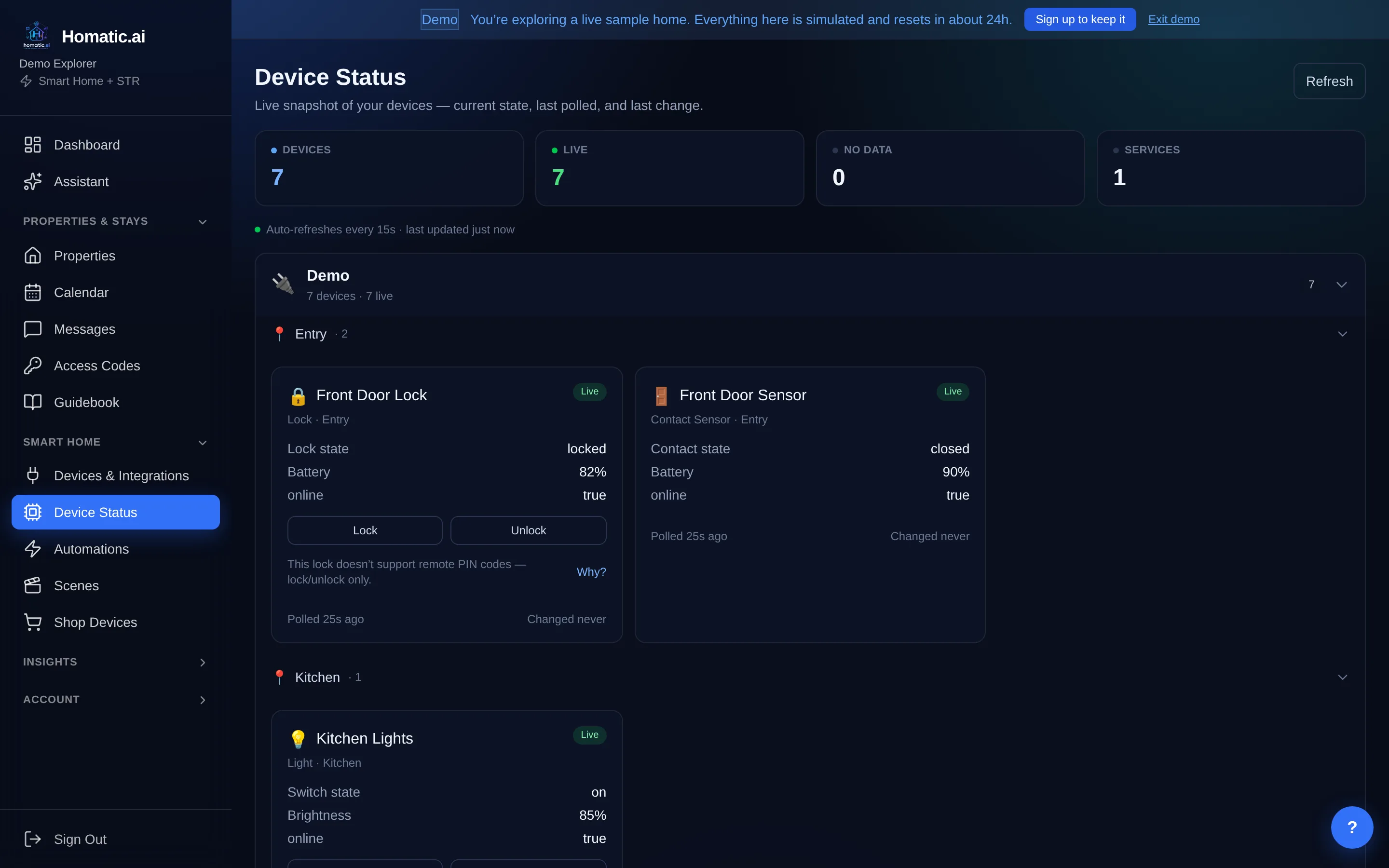
The monitoring view leads with what is in attention rather than with a list of devices, and it scopes to a building. Alerts are grouped by kind, deliberately: three low batteries listed one per row push a real leak off the screen; collapsed into one row they do not.
Two things are worth knowing before you rely on it:
- A device that stops reporting is itself an alert. A leak sensor dead for three weeks looks exactly like a property with no leaks, and at thirty properties nobody is going to notice the difference by eye.
- An empty alert list is not an all-clear. The summary states coverage as well as alerts, because “no incidents” and “nothing was monitored” render identically and only one of them is good news.
How to run the first month
- Pick one building, not the whole portfolio. Connect its properties and let the device summary fill in.
- Write three rules that map to work somebody currently does by hand: the per-guest code, the checkout setback, the door-left-open alert.
- Watch them across real turnovers. That is the only test that matters, and it is why the trial is 30 days rather than 7 — a week does not contain enough turnovers to tell you anything.
- Then replicate, and read the per-property statuses rather than the success count. The properties that need something are the useful output.
Beyond twenty properties, or if you need SSO, custom onboarding or a security review, that is an Enterprise conversation rather than a signup — contact@homatic.ai.
Common questions
At what point is manual turnover work no longer viable?
It is less about a number than about whether the work is still visible. At three properties a forgotten door code is noticed by you; at thirty it is noticed by the guest. The threshold is the point where nobody is checking every property every turnover.
How do I roll one rule out to every property?
Build it once and apply it to the portfolio. Homatic matches each property’s own devices to the rule and reports per property whether it is ready, needs a choice between two candidate devices, or is missing something — rather than silently skipping the ones that do not fit.
What if two properties have different equipment?
That is the normal case, and it is why replication reports a status per property instead of a success count. A property with no water sensor is not a failure; it is a property you now know needs one.
Can I see every property at once?
Yes — a portfolio dashboard that scopes to a building, and a monitoring view that leads with what is in attention rather than with a list of devices.
See Homatic on your own properties
Connect a property and the dashboard fills in from your real devices — your locks, your thermostat, your calendar. Free for 30 days on Starter, no card required.